
Table of Contents
When you launch a website, every second counts. Visitors expect lightning-fast loading times, and search engines like Google reward speed with higher rankings. However, if your WordPress site is hosted on a single server, users located far away from that physical data center will experience noticeable lag. This is where a CDN changes the game.
Understanding what a Content Delivery Network is and how it impacts your WordPress site is essential for anyone looking to scale their traffic, improve user experience, and boost SEO. Whether you run a personal blog, an online store, or a corporate website, utilizing a reliable network of servers worldwide ensures your content is delivered instantly, no matter where your audience is located.
What Is a CDN (Content Delivery Network)?
A Content Delivery Network (CDN) is a geographically distributed network of proxy servers and data centers. Its primary objective is to provide high availability and rapid performance by distributing the service spatially relative to end-users.
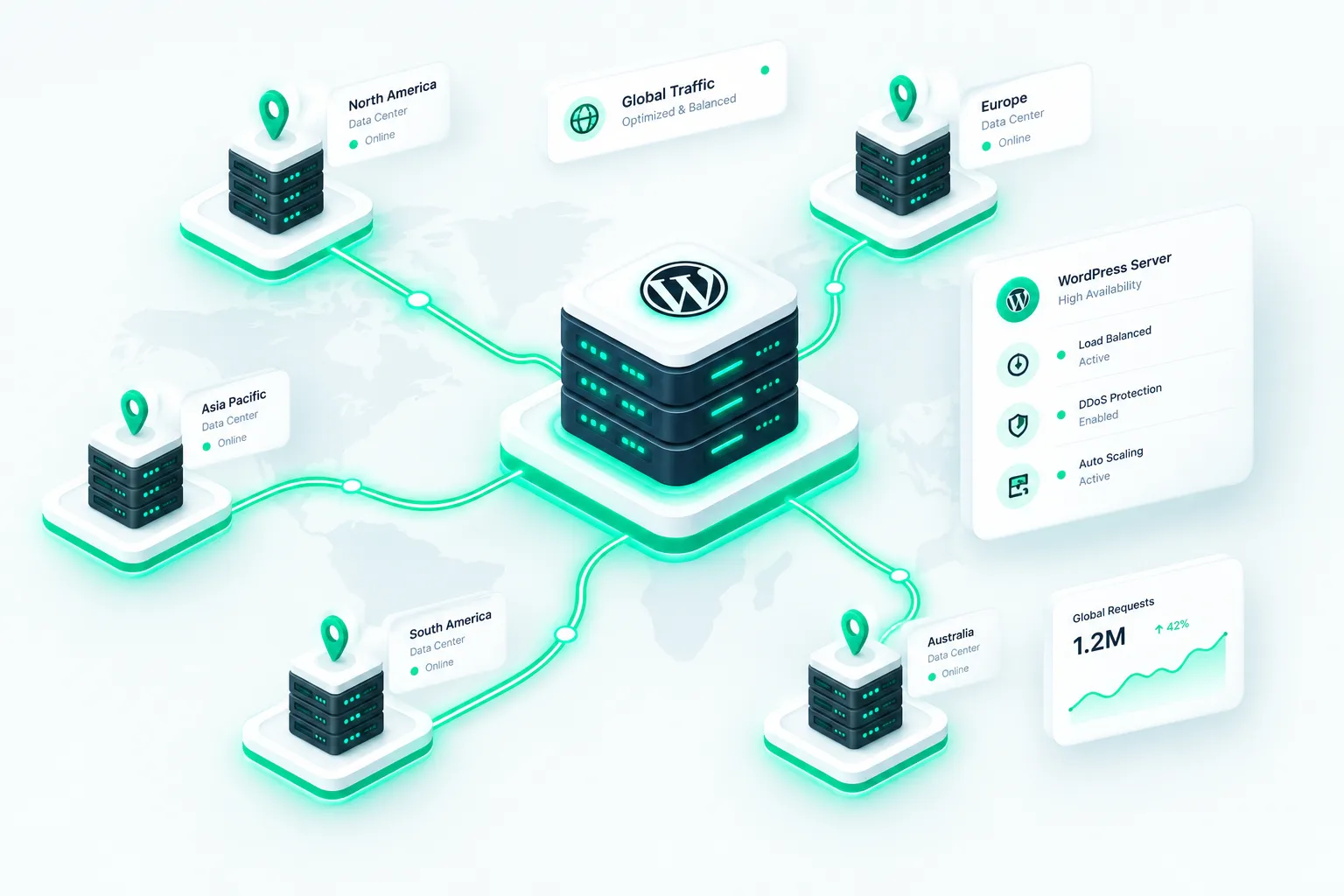
Instead of routing every single visitor request directly back to your primary hosting server (origin server), a CDN caches static assets—such as images, stylesheets, JavaScript files, and videos—across multiple global locations known as Points of Presence (PoPs). When a user requests your site, the network automatically serves the content from the server closest to them.
Key Takeaway: A Content Delivery Network acts as a global delivery highway, bypassing physical distance bottlenecks to serve your WordPress media and code files in milliseconds.
How Does a CDN Work?
To fully appreciate why your WordPress site needs a Content Delivery Network, it helps to understand the mechanics behind request routing and data delivery. Without a CDN, a user in Tokyo visiting a site hosted in New York must wait for data to travel thousands of miles across undersea cables, resulting in high latency.
When you integrate a CDN with your WordPress site, the process looks like this:
- Initial Request (Cache Miss): The first time a user from a specific region requests your page, the local edge server asks your origin server for the files, saves a copy (caches it), and delivers it to the user.
- Subsequent Requests (Cache Hit): When subsequent users in that same region request the same files, the local edge server instantly delivers them without ever bothering your origin server.
- Anycast Routing: CDNs use sophisticated Anycast routing to automatically send user requests to the closest and fastest available data center.
Why Your WordPress Site Needs a CDN
WordPress relies heavily on PHP and MySQL databases to dynamically build pages. Every visitor adds server load, which can slow down response times during traffic spikes. Implementing a Content Delivery Network offloads immense pressure from your main web host while delivering unmatched performance benefits.
1. Lightning-Fast Page Load Speeds
Speed is a critical ranking factor and conversion metric. By reducing physical distance and utilizing optimized edge servers, a CDN drastically cuts down Time to First Byte (TTFB) and overall page load times.
2. Reduced Server Load and Bandwidth Costs
Because edge servers handle a massive percentage of your static traffic, your origin hosting server experiences fewer requests. This reduction in bandwidth usage prevents server crashes during traffic surges and can significantly lower your hosting bills.
3. Improved Global Reach
If your target audience is international, a single server cannot provide uniform performance. A CDN levels the playing field, ensuring that visitors in London, Sydney, and New York experience identical loading speeds.
Advanced Benefits of Modern CDNs
Beyond basic speed improvements, modern Content Delivery Networks offer robust features tailored specifically for WordPress optimization and security.
Edge Caching and Full-Page Caching
Traditional caching plugins store HTML pages on your origin server. Advanced CDN providers now offer edge caching, which stores fully rendered HTML pages directly on global edge servers. This means WordPress doesn’t even need to execute PHP or query the database for returning visitors, resulting in near-instantaneous page delivery.
Automated Image Optimization
Images often account for the majority of a webpage’s weight. Many modern CDN services include automatic image optimization features that:
- Resize images dynamically to fit user screen resolutions.
- Convert standard formats to next-gen formats like WebP or AVIF.
- Compress image files losslessly on the fly.
- Implement lazy loading for below-the-fold media.
Enhanced Security and DDoS Mitigation
Security is paramount for WordPress administrators. Because a Content Delivery Network sits between your users and your origin server, it acts as a protective shield. Top-tier providers offer:
- DDoS Protection: Absorbing and neutralizing massive distributed denial-of-service attacks before they reach your host.
- Web Application Firewall (WAF): Blocking malicious bots, SQL injections, and brute-force login attempts.
- SSL/TLS Encryption: Providing free, secure certificates and modern cryptographic protocols (like TLS 1.3).
Comparison: Traditional Hosting vs. CDN-Enhanced Hosting
| Performance Metric | Without CDN | With CDN |
|---|---|---|
| Global Latency | High (depends on origin server location) | Ultra-low (served from local edge PoPs) |
| Origin Server Load | High (handles all static & dynamic requests) | Low (static assets offloaded to edge) |
| DDoS Resilience | Vulnerable (can overwhelm host) | High (edge scrubbing centers absorb attacks) |
| Traffic Spike Handling | Risk of crashing/slowdowns | Seamless scaling across global nodes |
How to Set Up a CDN on WordPress
Setting up a Content Delivery Network for WordPress is easier than ever. Most popular web hosts offer built-in CDN integrations, or you can configure a standalone provider.
Follow these general steps to get started:
- Choose a CDN Provider: Select a reliable provider such as Cloudflare, Bunny.net, StackPath, or KeyCDN. (Many offer robust free tiers ideal for beginners).
- Configure Your Domain: Point your domain name server (DNS) records to your chosen CDN provider, or integrate via a partner plugin.
- Install a Integration Plugin: Install the provider’s official WordPress plugin or a cache management plugin (like WP Rocket or LiteSpeed Cache) that supports CDN CNAME rewriting.
- Enable Optimization Features: Turn on auto-minification, Brotli compression, image optimization, and edge caching within your dashboard.
- Test Your Site: Run your site through performance testing tools like [External Link] to verify speed improvements and check that assets load correctly from the network.
Conclusion
In today’s digital landscape, website speed and security are non-negotiable. Relying solely on standard web hosting leaves your site vulnerable to high latency, bandwidth limits, and security threats. By implementing a Content Delivery Network, you empower your WordPress site with global reach, lightning-fast edge caching, optimized media delivery, and enterprise-grade security. Take the step today to integrate a CDN and watch your user experience and SEO rankings soar.
Related Blogs


- November 12, 2026
- 10 min read
- November 11, 2026
- 12 min read
- November 10, 2026
- 6 min read