
Table of Contents
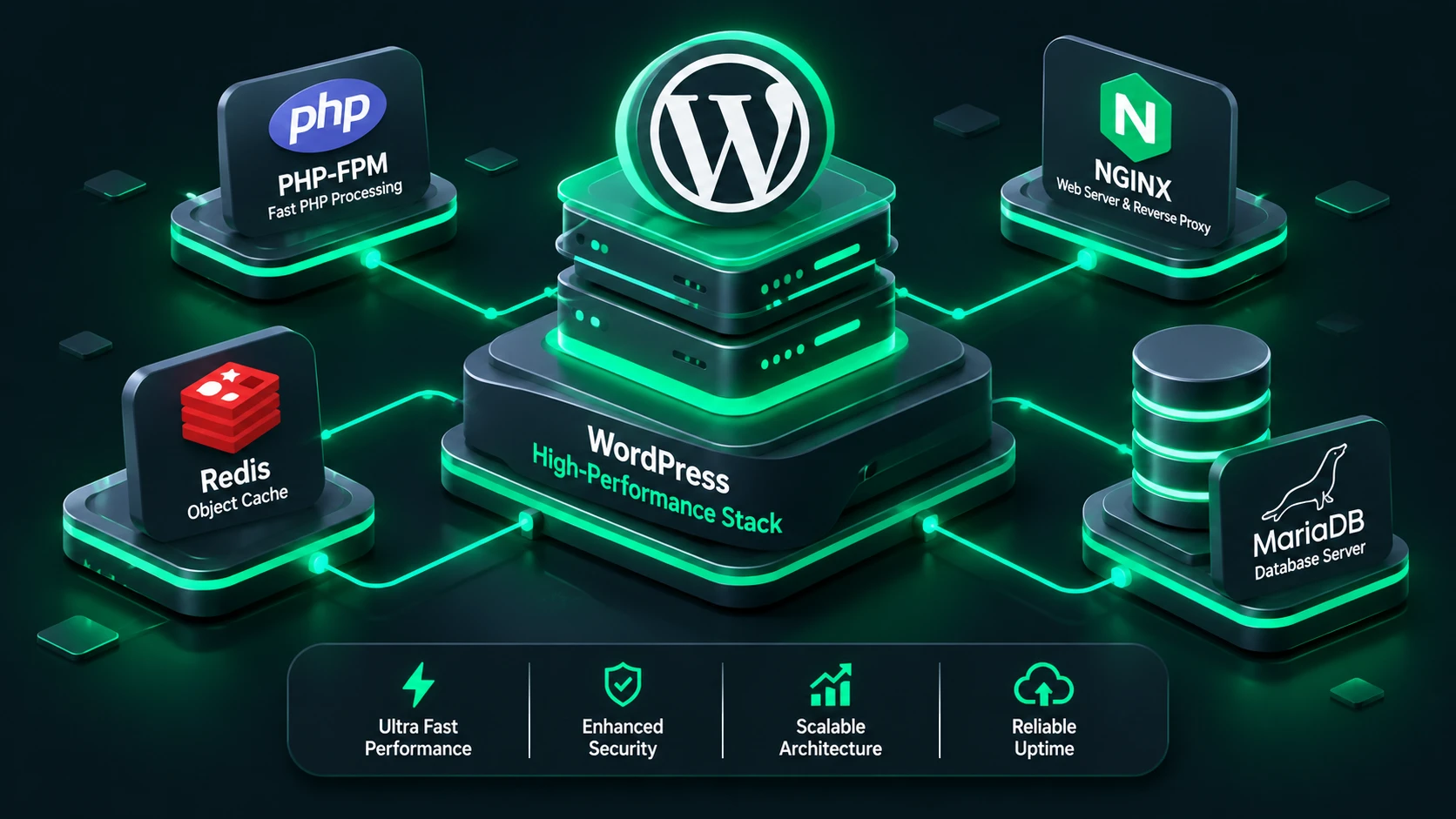
When high-volume traffic hits your website, relying on unoptimized virtual private servers (VPS) or default hosting configurations will inevitably lead to slow page loads, database timeouts, and lost revenue. Therefore, if you want to deliver sub-second page rendering and handle thousands of concurrent visitors effortlessly, you must learn how to optimize WordPress server performance from the underlying infrastructure to the application layer. Building a custom, high-performance environment requires careful alignment of server hardware, kernel-level OS parameters, web server directives, PHP runtime limits, and caching subsystems.
In this comprehensive guide, we will walk you through building a battle-tested server architecture designed specifically for WordPress. We will cover hardware selection, software stack optimization, multi-tier caching, real-time monitoring, backup routines, and high-availability scaling strategies.
1. Hardware Recommendations: Choosing the Right Foundation
Before tweaking a single configuration file, you must ensure your server hardware eliminates standard system bottlenecks. WordPress relies heavily on dynamic PHP processing and relational database queries, making CPU speed and disk storage I/O performance the primary bottlenecks for overall throughput.
Compute (CPU): Clock Speed vs. Core Count
Because PHP is fundamentally single-threaded during request execution, raw single-core clock speed (GHz) matters significantly more for dynamic response time than a high number of lower-frequency cores. For instance, a 4-core server running at 3.5 GHz will generally process individual WordPress requests faster than an 8-core server running at 2.1 GHz.
- Low to Medium Traffic (Under 100k monthly visits): Minimum 2 vCPUs with modern architecture (AMD EPYC or Intel Xeon scalable).
- High Traffic & WooCommerce (100k–1M+ monthly visits): Dedicated compute instances with 4 to 8 high-frequency vCPUs (3.0 GHz+ compute optimized).
- Enterprise / Headless WordPress: 16+ dedicated vCPUs with isolated compute pools for web workers and database processes.
Memory (RAM): Preventing Out-of-Memory Errors
Insufficient system RAM leads to Linux kernel thrashing and MySQL process crashes. To reliably optimize WordPress server memory usage, ensure you allocate adequate overhead for PHP-FPM workers, MariaDB buffers, and system caches.
| Server Role | Minimum RAM | Recommended RAM | Primary Use Case |
|---|---|---|---|
| Single-Node Server | 4 GB | 8 GB – 16 GB | Blogs, Content Sites, Portfolios |
| Dynamic / WooCommerce Server | 8 GB | 16 GB – 32 GB | E-commerce, Membership Sites |
| Dedicated Database Host | 8 GB | 32 GB – 64 GB+ | Large-scale, high-concurrency databases |
Disk Storage: NVMe vs. Standard SATA SSD
Disk I/O operations directly impact database query performance and file read speeds. Always select NVMe (Non-Volatile Memory Express) storage instead of standard SATA SSDs. NVMe offers up to 5 to 7 times higher IOPS (Input/Output Operations Per Second) and significantly reduced access latency, ensuring faster loading of themes, plugins, and database records.
2. Configuring the Ideal Software Stack to Optimize WordPress Server Execution
The choice and configuration of your operating system, web server engine, PHP runtime engine, and database service establish the operational ceiling of your infrastructure.
Operating System: Ubuntu LTS or AlmaLinux
For maximum stability, security, and long-term support, use an Enterprise-grade Linux distribution such as Ubuntu 22.04 LTS or AlmaLinux 9. These distributions provide up-to-date repositories and long-term security patches.
Web Server Engine: Nginx or OpenLiteSpeed vs. Apache
While Apache with mod_php was the historical standard, modern high-performance environments utilize an event-driven architecture. Modern setups favor Nginx or OpenLiteSpeed because of their asynchronous, non-blocking request handling capabilities under high concurrency.
- Nginx: Exceptionally efficient at serving static assets, acting as a reverse proxy, and managing upstream PHP-FPM fastcgi connections.
- OpenLiteSpeed: Excellent for native LSCache integration, though Nginx remains the industry benchmark for customizable enterprise deployments.
PHP-FPM Optimization (PHP 8.2 / 8.3)
Always run modern, active versions of PHP (PHP 8.2 or PHP 8.3) to benefit from JIT (Just-In-Time) compilation and significant memory management enhancements. Configure PHP-FPM using the dynamic or static process manager depending on available RAM.
For a dedicated server with predictable memory allocation, the static process manager delivers optimal response times by eliminating process creation overhead:
To calculate your maximum pm.max_children setting, use the following formula:
Max Children = (Total Available RAM for PHP – Reserved System RAM) / Average Memory Usage Per PHP Process
For example, on a server with 8GB total RAM where 2GB is reserved for system services and MySQL, leaving 6GB (6144 MB) for PHP, and where each PHP worker averages 60 MB:
pm.max_children = 6144 / 60 = 102
Database Tuning: MariaDB / MySQL Configuration
Database queries are frequently the primary bottleneck in dynamic WordPress installations. MariaDB 10.11+ or MySQL 8.0+ should be optimized specifically for InnoDB engine operations.
Key parameters in your my.cnf or 50-server.cnf file include:
innodb_buffer_pool_size: Set to 50%–70% of total system RAM on a dedicated database node, or 25%–40% on a shared single-node server.innodb_log_file_size: Set to 25% of the total buffer pool size to ensure efficient write buffering.innodb_flush_log_at_trx_commit = 2: Provides a significant write speed boost while retaining high transactional durability.query_cache_type = 0: Disable legacy query cache in older MySQL versions as it creates thread contention under lock-heavy workloads.
For deeper CLI command automation when configuring environments, review our guide on WP-CLI for Beginners to streamline database maintenance and administrative tasks directly from the terminal.
3. Multi-Tier Caching Strategies to Optimize WordPress Server Throughput
To achieve peak performance, your server must avoid running dynamic PHP code or querying the database whenever possible. Implementing a multi-tier caching strategy ensures requests are satisfied at the highest possible layer in the stack.
Additionally, review official resources on WordPress.org Performance Optimization for core standards on caching and asset execution.
Layer 1: OPcache (Bytecode Cache)
PHP OPcache stores precompiled script bytecode in shared memory, preventing PHP from parsing scripts on every single HTTP request. Ensure the following settings are enabled in your php.ini configuration:
opcache.enable=1
opcache.memory_consumption=256
opcache.interned_strings_buffer=16
opcache.max_accelerated_files=20000
opcache.validate_timestamps=1
opcache.revalidate_freq=2
Layer 2: Persistent Object Caching (Redis / Memcached)
WordPress natively caches database query results in memory for a single request lifecycle. By connecting WordPress to an in-memory datastore like Redis via a persistent object cache plugin, repetitive queries (such as site options, user metadata, and transient data) are served instantly from RAM.
To further optimize WordPress server database responsiveness, configure Redis with an LRU (Least Recently Used) eviction policy and sufficient memory allocation (e.g., 512MB to 2GB depending on database size).
Layer 3: Page Caching (FastCGI Cache or Nginx microcaching)
Full-page caching renders complete HTML responses directly from disk or RAM, bypassing PHP and MySQL entirely for non-logged-in visitors. Implementing Nginx FastCGI Cache or Nginx Microcaching allows your web server to serve tens of thousands of requests per second with negligible CPU usage.
4. Real-Time Server Monitoring and Diagnostics
You cannot maintain high performance without visibility into system behavior. Proactive monitoring alerts you to resource exhaustion before system failures impact user experience.
- Netdata: Real-time, lightweight infrastructure monitoring that provides per-second metrics for CPU, RAM, disk I/O, network traffic, and system processes.
- Prometheus + Grafana: Enterprise-grade metric collection and dashboard visualization for tracking long-term trends across multi-server topologies.
- New Relic / Datadog: Application Performance Monitoring (APM) tools that identify specific slow PHP functions, inefficient database queries, or lagging third-party plugins within WordPress core execution.
- Log Parsing (GoAccess): Real-time HTTP log analyzer that visualizes Nginx access logs directly in terminal sessions or web interfaces.
5. Automated Backups and Disaster Recovery Strategies
A fast server is useless if it lacks robust data protection. High-performance setups isolate backup procedures from live request handling to prevent temporary performance drops during snapshot creation.
Backup Frequency and Isolation
Implement the 3-2-1 backup rule: keep 3 total copies of data, across 2 different media types, with at least 1 offsite storage location (e.g., AWS S3, Google Cloud Storage, or Cloudflare R2).
- Database Backups: Hourly or continuous binary log replication for dynamic stores; daily automated
mysqldumpormariadb-dumpsnapshots piped directly to offsite storage. - File System Backups: Daily incremental backups using tools like
ResticorBorgBackup, which offer built-in deduplication and end-to-end encryption.
Schedule snapshot operations during off-peak traffic hours to ensure backup compression tasks do not compete with dynamic PHP workers for CPU and disk resources.
6. High Availability and Scaling Strategies
When a single monolithic server reaches its physical limits, you must transition to horizontal scaling and distributed architectures.
Content Delivery Network (CDN) Offloading
Route all media assets, CSS, JavaScript, and static files through an edge network like Cloudflare or Fastly. Utilizing edge rules or Cloudflare Automatic Platform Optimization (APO) enables static page HTML to be served directly from edge nodes globally, keeping traffic off your origin server entirely.
Database Decoupling (Read Replicas)
As traffic scales, separate your web application from your database. Deploy a dedicated database cluster with a primary node dedicated to write operations and one or more read replicas. Configure WordPress via hyperdb or advanced drop-in scripts to route read queries to secondary nodes.
Load Balanced Server Pools
Distribute incoming web traffic across multiple stateless Nginx web application nodes using a load balancer such as HAProxy or Cloudflare Load Balancing. Ensure persistent uploads are shared across nodes via AWS EFS, Network File System (NFS), or an object storage plugin routing directly to S3.
7. Conclusion and Optimization Checklist
Building an enterprise-grade infrastructure requires systematic tuning at every tier. When you properly optimize WordPress server hardware allocation, web server settings, PHP-FPM parameters, object caching, and database configuration, your site can easily deliver blazing fast load times and withstand unpredictable traffic surges.
Summary Implementation Checklist:
- Deploy modern NVMe storage paired with compute-optimized CPUs.
- Install Ubuntu 22.04 LTS with Nginx, PHP 8.2/8.3, and MariaDB 10.11+.
- Configure PHP-FPM process management to match total available system memory.
- Enable OPcache and configure persistent Redis Object Cache.
- Implement Nginx FastCGI full-page caching for anonymous web traffic.
- Tune MariaDB
innodb_buffer_pool_sizeto allocate proper memory for your dataset. - Offload static media and global page cache delivery to an edge CDN.
- Set up continuous monitoring and automated offsite backups.
By executing these optimization steps, your server will deliver exceptional stability, superior search engine performance, and an unbeatable user experience.
Related Blogs


- November 12, 2026
- 10 min read
- November 11, 2026
- 12 min read
- November 10, 2026
- 6 min read