
As modern web development moves toward faster, more dynamic user interfaces, traditional content management systems are evolving rapidly. One of the most significant shifts in recent years is the rise of a decoupled or Headless WordPress setup. By decoupling the presentation layer from the back-end administration, developers can harness the robust content management features of WordPress while utilizing modern front-end frameworks like React, Next.js, or Vue. In this comprehensive guide, we will explore how a headless WordPress architecture functions, examine its benefits and drawbacks, and walk through building and deploying your own decoupled site using the WordPress REST API.
Traditional WordPress is a monolithic system. This means that the backend (where you write content, configure settings, and manage databases) is tightly coupled with the frontend (the PHP-based themes that render what your visitors see). Every time a user requests a page, WordPress queries the database and dynamically generates the HTML on the server.
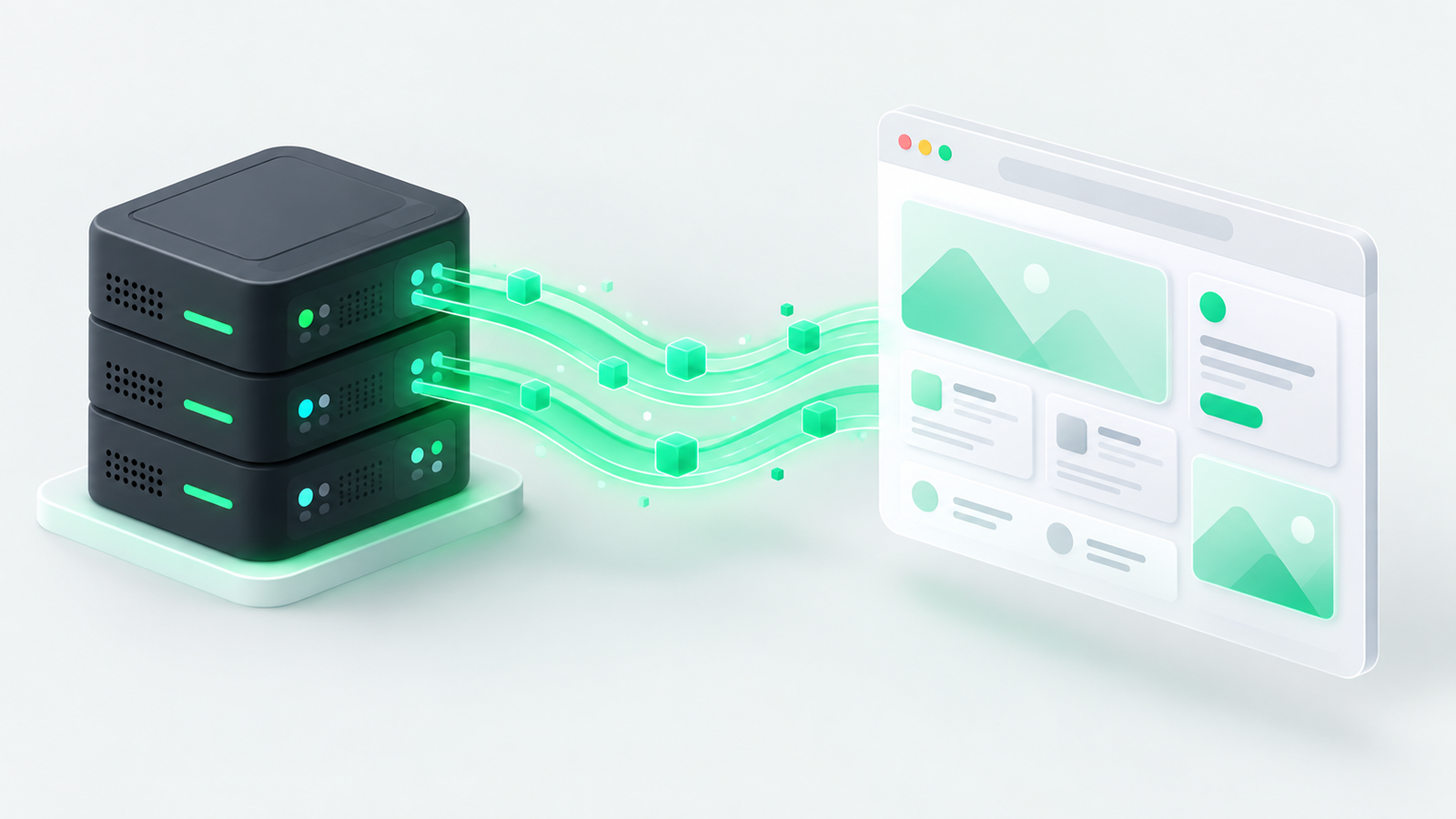
Conversely, a Headless WordPress architecture splits these two systems entirely. The “head” (the frontend theme) is chopped off. WordPress operates strictly as a back-end content management system (CMS). Content creators continue to use the familiar Gutenberg editor and admin dashboard, but instead of rendering pages via PHP, WordPress exposes its database through the built-in REST API. Modern frontend frameworks then fetch this raw JSON data and compile it into extremely fast, lightweight web pages.
To fully understand why this architecture is so powerful, it helps to compare the flow of data between a monolithic setup and a decoupled framework. In a headless environment, your WordPress installation typically sits on a secure subdomain (e.g., api.yourdomain.com), serving data to a standalone application hosted elsewhere (e.g., on Vercel or Netlify).
| Feature | Traditional Monolithic WordPress | Headless WordPress (Decoupled) |
|---|---|---|
| Frontend Tech Stack | PHP, standard HTML, CSS, and basic JavaScript | React, Next.js, Vue, Gatsby, or Angular |
| Content Delivery | Dynamic server rendering on each request | Pre-rendered Static Site Generation (SSG) or Client Hydration |
| Database Exposure | Directly coupled with public-facing web servers | Completely hidden behind an API layer |
| Omnichannel Readiness | Web browser format only | Can feed Web, iOS, Android, and Smart devices simultaneously |
| Development Workflow | Bound to WordPress-specific templating rules | Modern JavaScript tooling and complete design freedom |
The primary mechanism powering this decoupled structure is the WordPress REST API. This protocol acts as a standardized translation layer. When a React frontend requests content, the API responds with structured JSON data that is clean, predictable, and easy to parse.
Why are developers migrating away from traditional themes in favor of a Headless WordPress setup? The advantages are substantial and extend across security, performance, and developer experience:
While the technical benefits are compelling, adopting a headless architecture is not a magic bullet. It introduces key trade-offs that you must carefully evaluate before migrating:
Now that we understand the architectural blueprint, let’s go through a practical implementation. We will set up WordPress to serve data and build a basic React frontend to fetch and render our posts.
To begin, you will need a standard WordPress installation. First, ensure your permalinks are set to anything other than the default “Plain” style. Go to Settings > Permalinks and select Post name. This ensures clean, readable endpoint pathways like /wp-json/wp/v2/posts.
Additionally, you can use modern command-line tools like WP-CLI to quickly configure your plugins and test endpoints without touching the GUI. For enhanced schema and SEO data exposure over the API, consider installing a plugin like Yoast SEO to REST API or WPGraphQL if you prefer GraphQL over standard REST.
To confirm your REST API is fully functional, open your web browser and navigate to:
https://yourdomain.com/wp-json/wp/v2/postsYou should see a large structured JSON output containing your latest blog posts, post IDs, raw body content, author data, and publication dates. If you see this, your backend is ready to supply data to your decoupled frontend.
Next, we will set up our React frontend. In this example, we will write a standard React component that uses the native Fetch API to call the WordPress REST API and display our articles.
import React, { useState, useEffect } from 'react';
function HeadlessWPBlog() {
const [posts, setPosts] = useState([]);
const [loading, setLoading] = useState(true);
const [error, setError] = useState(null);
useEffect(() => {
// Fetch posts from your WordPress REST API endpoint
fetch('https://your-wordpress-domain.com/wp-json/wp/v2/posts')
.then((response) => {
if (!response.ok) {
throw new Error('Network response was not ok');
}
return response.json();
})
.then((data) => {
setPosts(data);
setLoading(false);
})
.catch((err) => {
setError(err.message);
setLoading(false);
});
}, []);
if (loading) return <p>Loading articles...</p>;
if (error) return <p>Error loading content: {error}</p>;
return (
<div style={{ padding: '20px', fontFamily: 'sans-serif' }}>
<h1>Latest News from Our Headless WordPress Blog</h1>
<div style={{ display: 'grid', gap: '20px' }}>
{posts.map((post) => (
<article key={post.id} style={{ borderBottom: '1px solid #ccc', paddingBottom: '15px' }}>
{/* Note: WordPress renders titles and content as HTML strings */}
<h2 dangerouslySetInnerHTML={{ __html: post.title.rendered }} />
<div dangerouslySetInnerHTML={{ __html: post.excerpt.rendered }} />
<a href={`/posts/${post.id}`} style={{ color: '#00BD87', textDecoration: 'none' }}>
Read Full Article →
</a>
</article>
))}
</div>
</div>
);
}
export default HeadlessWPBlog;By injecting the fetched JSON data directly using dangerouslySetInnerHTML, React handles the HTML strings generated by the WordPress Gutenberg editor seamlessly. Meanwhile, you maintain full control over custom styling using your framework of choice.
To publish your decoupled project live, you will need to host your backend and frontend platforms separately, then connect them via deployment pipelines:
Building a Headless WordPress site combines the world-class content management experience of WordPress with the performance and security capabilities of modern JS architectures. While it requires advanced development effort, the speed gains and improved architectural control make it a phenomenal choice for enterprise projects, digital storefronts, and cross-platform applications.
When developing, remember to secure your API endpoints, use a headless SEO plugin framework to push structured metadata to your decoupled header, and leverage solid server caching to ensure your database effortlessly handles front-end requests during rebuild triggers.